Legacy Family Tree Webinars Introduces Learning Paths

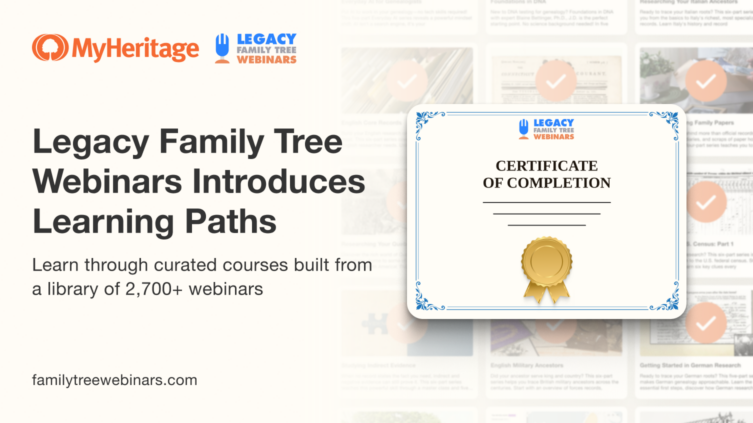
Legacy Family Tree Webinars offers more than 2,700 webinars on genealogy, DNA, historical records, research methods, technology, and more. With so many options, deciding where to start and what to watch next can feel daunting.
To address this challenge, Legacy Family Tree Webinars has launched Learning Paths, a new feature that turns related webinars into structured learning experiences. Each path brings together 3–6 webinars, selected and arranged by experts so that one session builds naturally on the next.
There are 105 Learning Paths available at launch, covering everything from genealogy and DNA fundamentals to advanced research methods. You can follow one of these curated paths or create a custom path based on your own interests and research goals.
Explore Learning Paths on Legacy Family Tree Webinars
About Legacy Family Tree Webinars
Legacy Family Tree Webinars is a MyHeritage company that offers online education for family history researchers at every level. Its extensive library features presentations by leading experts on genealogy, DNA, historical records, research methodology, technology, and many other subjects.
The webinars provide practical instruction that researchers can apply to their own work, whether they are learning the fundamentals, exploring a particular place or record type, or developing more advanced research skills.
This new feature builds on this rich educational resource by organizing related webinars into clear, focused sequences.
What are Learning Paths?
Learning Paths are guided courses made up of 3–6 webinars on a specific genealogy subject and sequenced in a recommended viewing order. You can follow one of these ready-made paths, or create a custom Learning Path of your own.
After enrolling in a path, you can see the included webinars, track which sessions you have completed, and continue watching them in the recommended order. When you complete the full path, you’ll receive a printable customized certificate marking your achievement.
Topics covered by Learning Paths
Learning Paths make it easier to find the webinars most relevant to your current research goals. Rather than searching the full library one webinar at a time, you can select a topic and follow a structured series of sessions.
Options for beginners include Getting Started in Family History, Foundations in DNA, and Foundations in MyHeritage.com.
Other paths explore more specialized subjects, including:
- Using artificial intelligence for genealogy, from everyday applications to AI-assisted research logs
- Understanding Ethnicity Estimates and working with Y-DNA, X-DNA, or mitochondrial DNA
- Evaluating indirect, negative, or conflicting evidence
- Researching African American family history, including research beyond 1870 and the study of enslavers’ records
- Working with censuses, land records, newspapers, cemetery records, and manuscript collections
- Conducting research in specific U.S. states, Canadian regions, Ireland, Scotland, England, Germany, and Italy
- Preparing for Board for Certification of Genealogists certification
- Turning family history research into a finished book
You can browse all 105 paths or filter them by categories such as Beginners, DNA Testing, Historical Records, Methodology, Places and Ethnicities, and Technology.
Exploring curated Learning Paths
To explore Learning Paths, visit FamilyTreeWebinars.com and click the new “Learning Paths” tab in the navigation bar, or go directly to familytreewebinars.com/learning-paths.
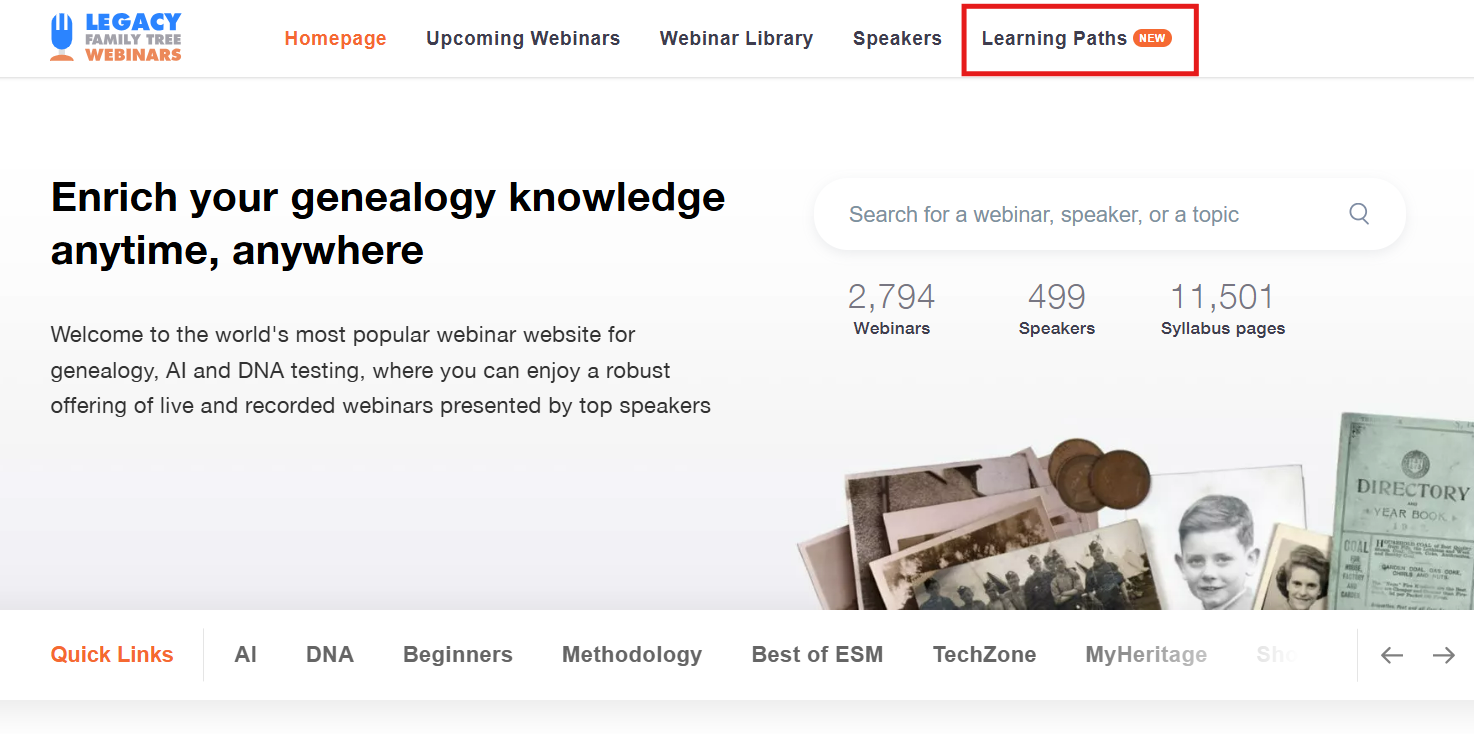
Navigating to Learning Paths on FamilyTreeWebinars.com
When you’re signed in, the Learning Paths you’ve enrolled in appear at the top of the page, together with your progress in each. Using the dropdown menu on the upper right, you can sort them according to recent activity, how much of the path you’ve completed, or the paths you haven’t started yet.
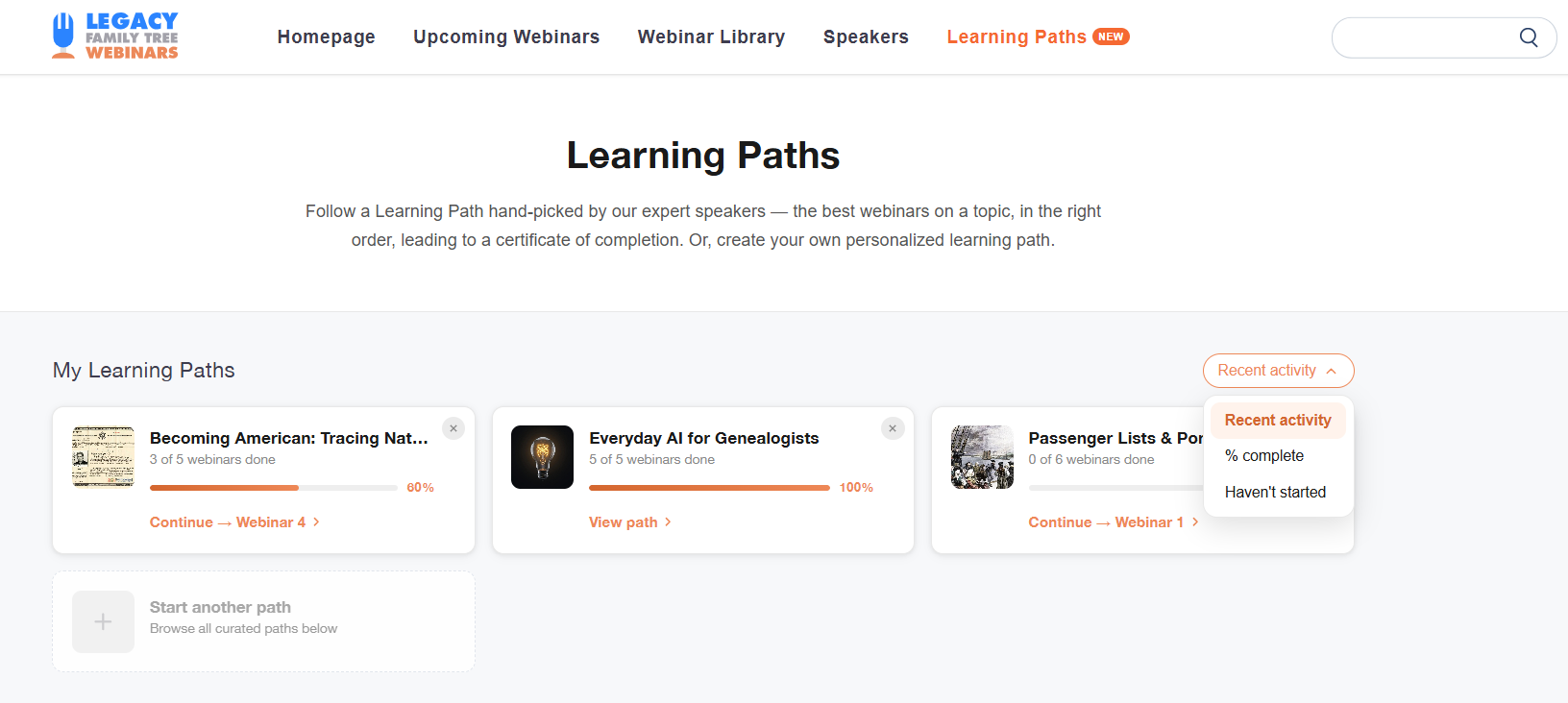
Viewing and sorting the Learning Paths you’ve enrolled in (click to zoom)
The next section lists the curated Learning Paths for you to browse. You can filter them according to category using the dropdown on the left, or sort them by featured, newest, most enrolled, or shortest Learning Paths using the dropdown on the right.
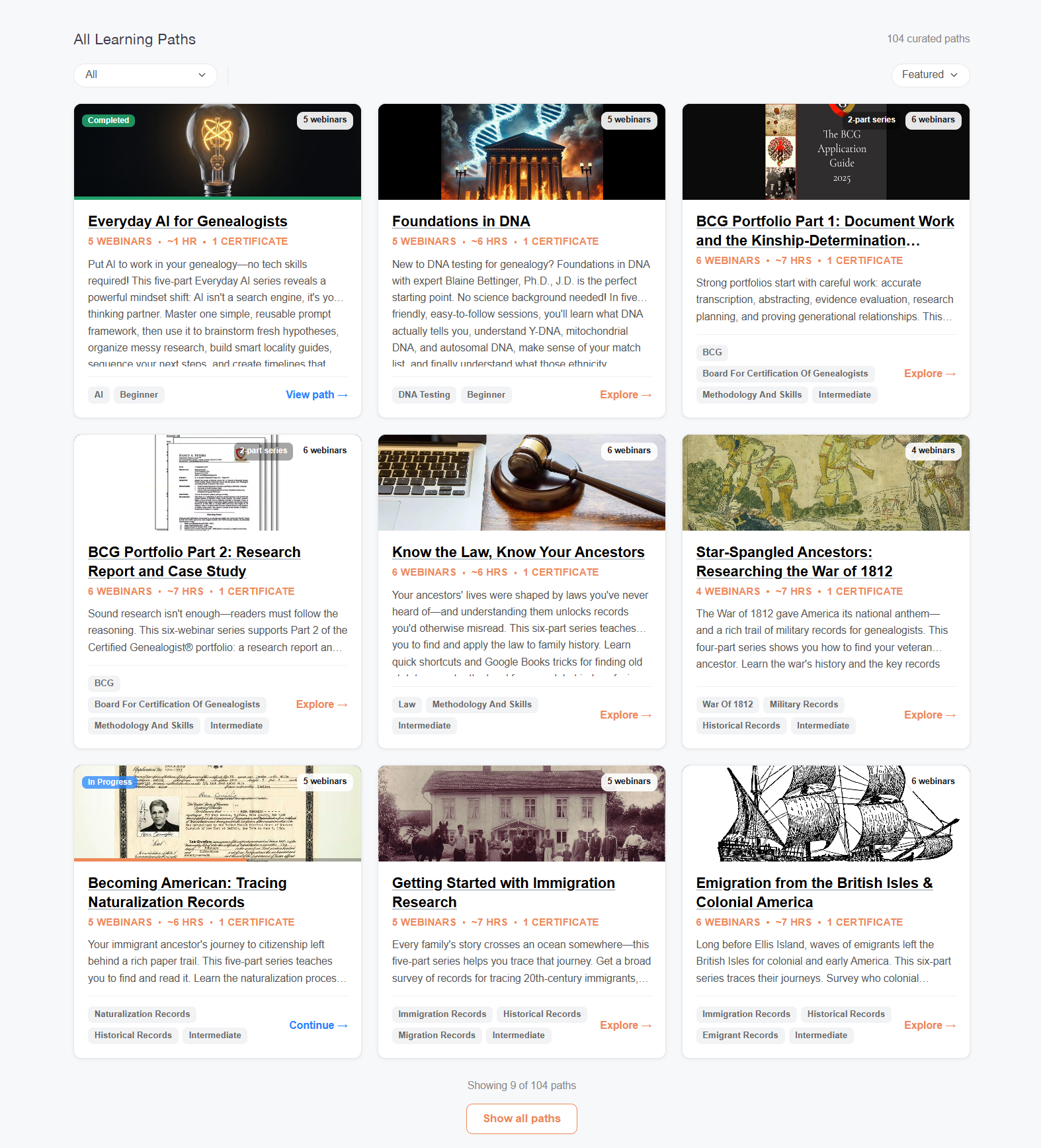
Browsing curated Learning Paths (click to zoom)
Enrolling in and completing a Learning Path
Click on a Learning Path to see more details, including an overview, estimated duration, and a full list of the webinars included in this path. Click “Enroll” to add it to your list of Learning Paths, or “Start” to jump right into the first webinar.
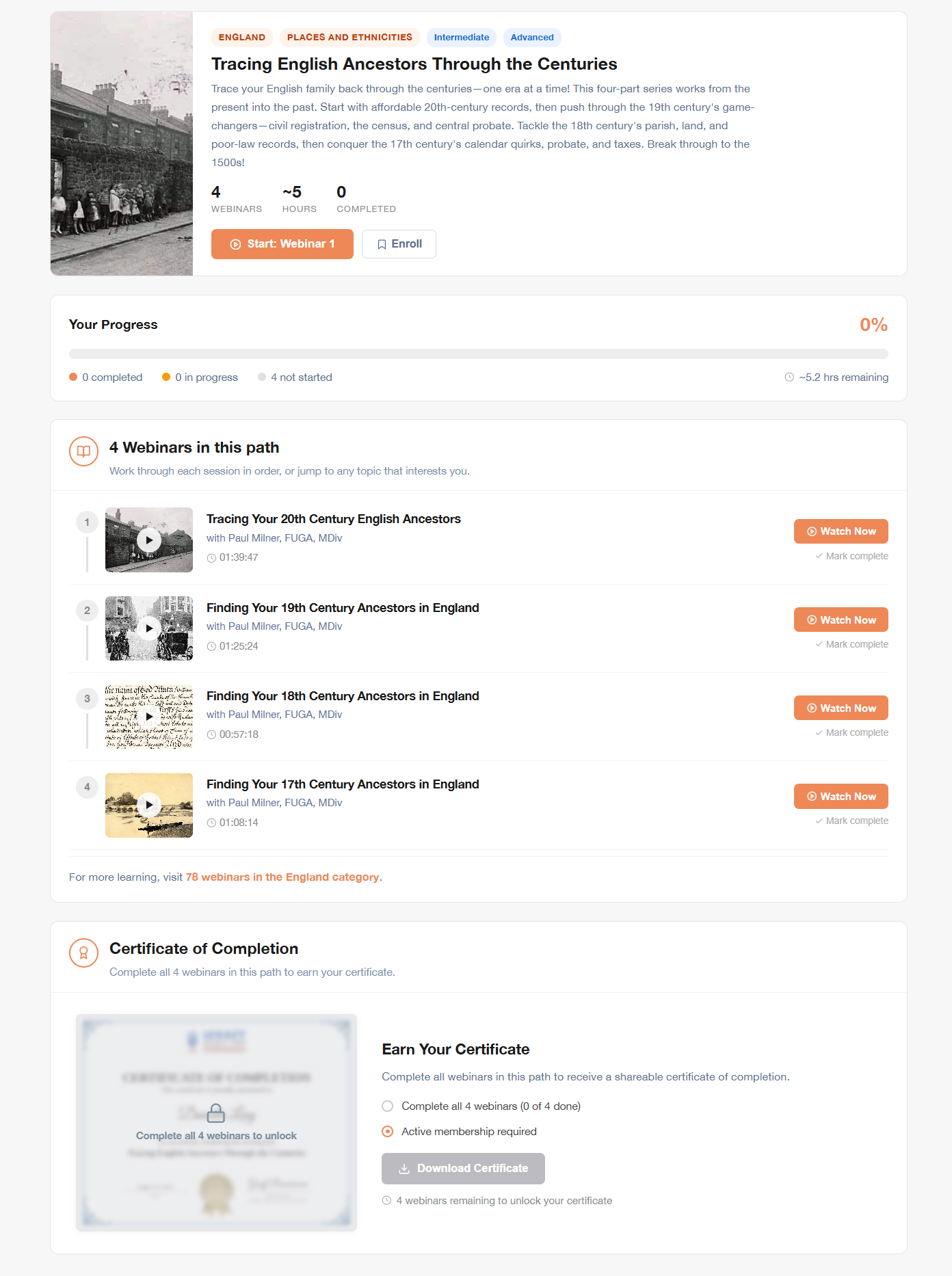
An example Learning Path page (click to zoom)
If you’ve already started this Learning Path, you’ll be able to continue right where you left off from this page.
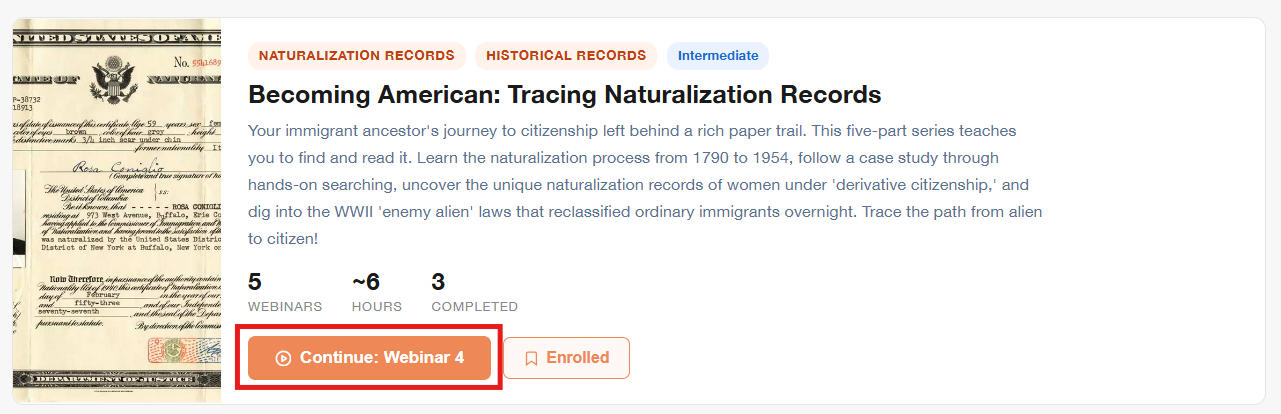
Continuing a Learning Path you’ve already started
Your progress along the path also appears in the right-hand sidebar on the webinar page:
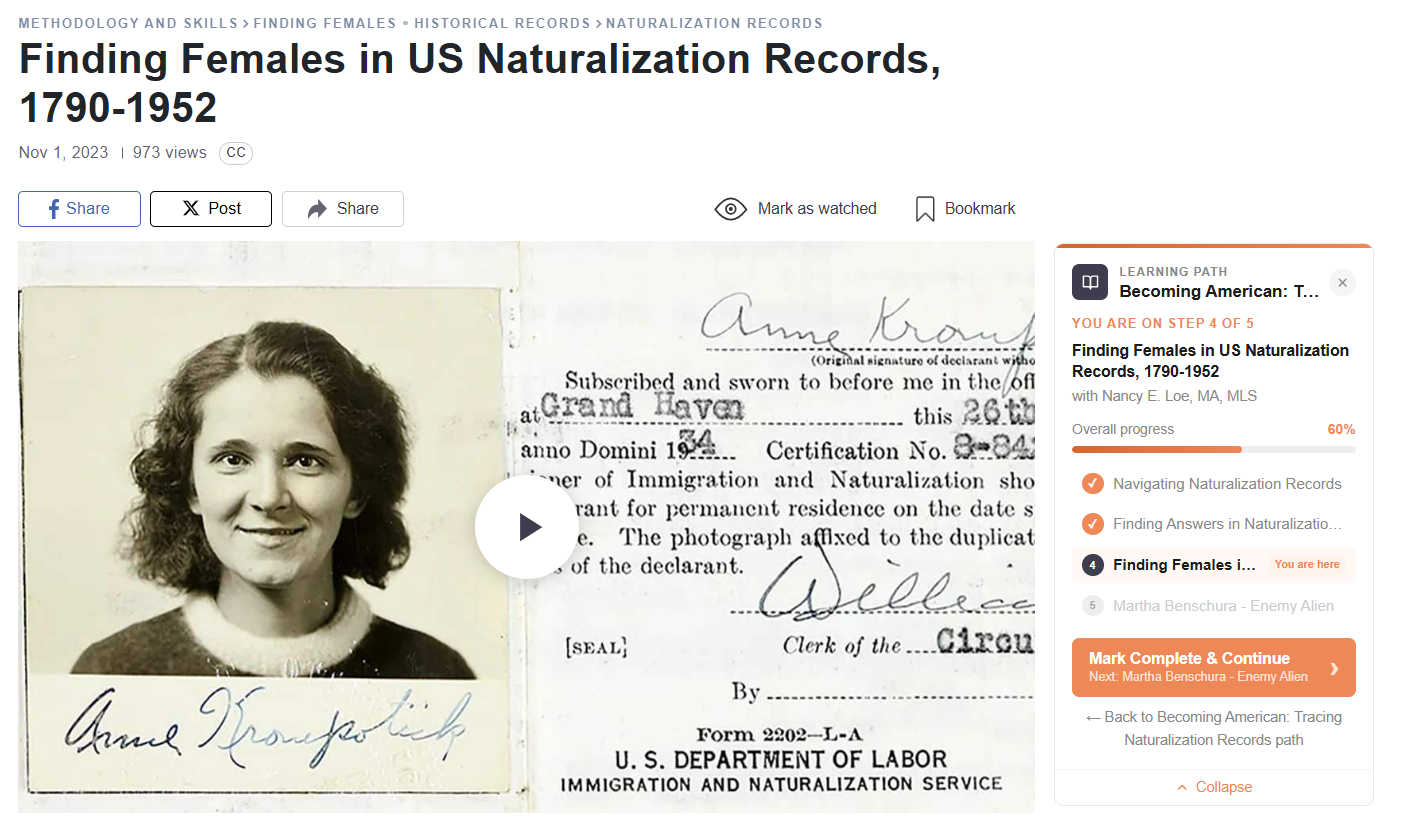
Viewing a webinar within a Learning Path (click to zoom)
Once you finish watching the webinar, click “Mark Complete & Continue” to move to the next one.
When you complete the Learning Path, you’ll be presented with a customized, downloadable certificate with your name and the date of completion.
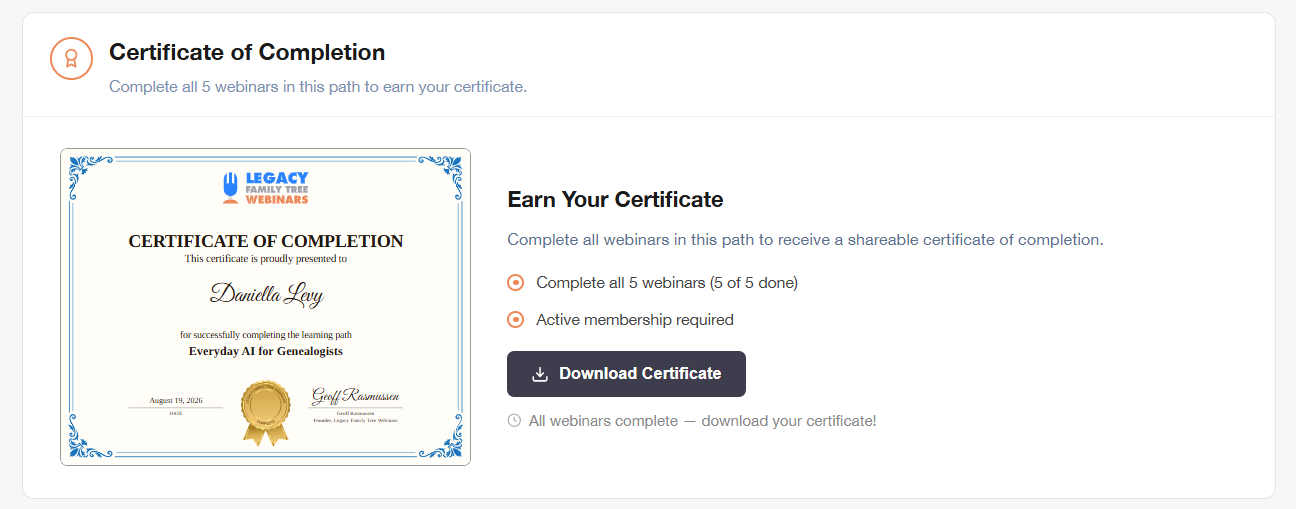
Certificate of Completion for a Learning Path (click to zoom)
You can re-download it anytime from the Learning Path page.
Creating your own Learning Path
The curated Learning Paths cover a wide range of subjects, but sometimes you may want a combination of webinars tailored more precisely to your interests or current research. You might want to focus on a particular research problem, collect presentations by a favorite speaker, or prepare a course for a genealogy society, special interest group, or family member.
The Build Your Own Learning Path tool allows you to select any 3–6 webinars from the catalog and arrange them in the order that makes the most sense to you. The tool is located at the bottom of the Learning Paths page, below the All Learning Paths section.
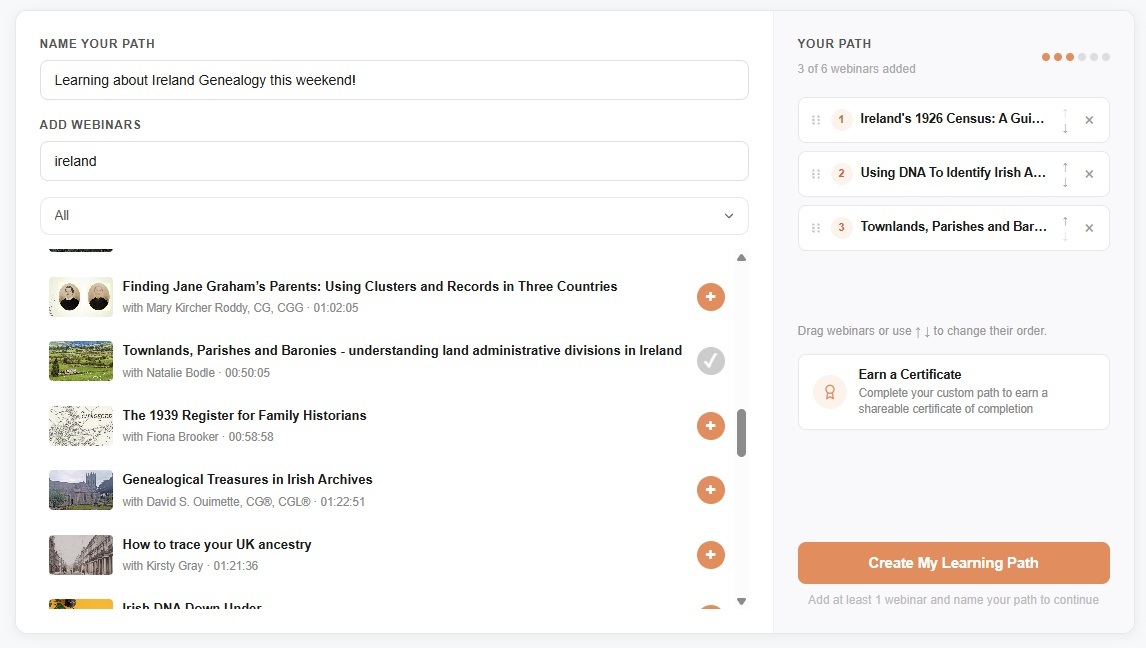
Creating your own Learning Path (click to zoom)
To share a custom Learning Path, simply copy the link from the address bar at the top of your browser and send it to whomever you like. Anyone with the link can follow the path at their own pace, which makes it easy for a group to learn from the same material without coordinating viewing times.
You can edit the path anytime from the custom Learning Path page. Just click “Edit path” above the list of webinars:
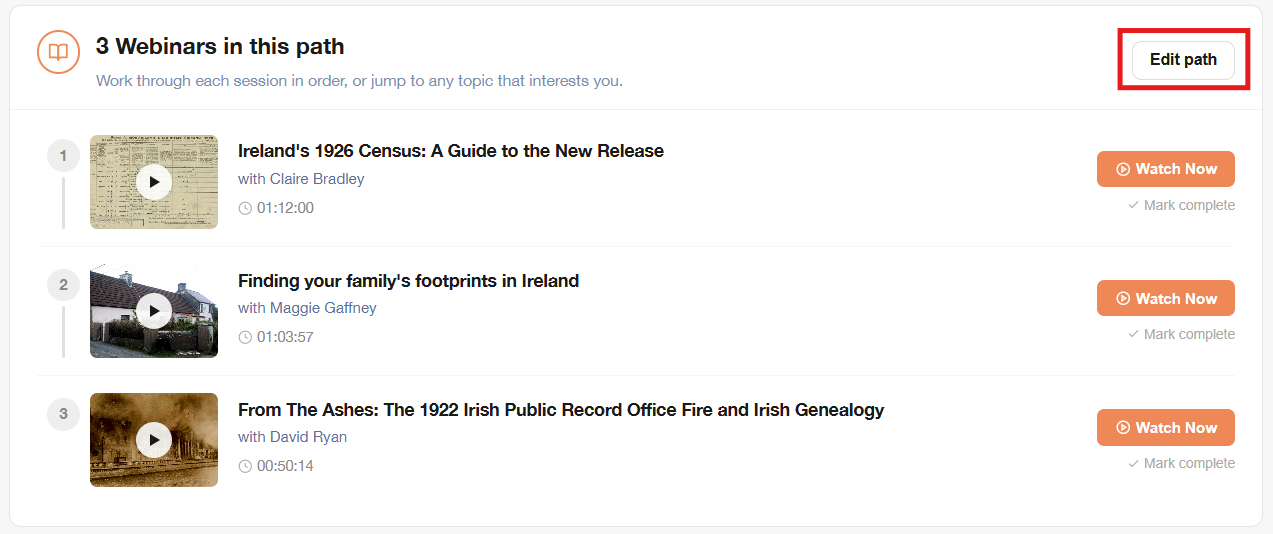
Editing a custom Learning Path (click to zoom)
Then reorder the webinars, remove them, or add new ones.
Cost
Enrolling in Learning Paths, building custom paths, tracking progress, and earning certificates are all free for every registered member of the FamilyTreeWebinars.com community.
Free webinars included in a Learning Path remain available to everyone. If a path includes members-only webinars, a Webinar Membership is required to watch those sessions.
Start exploring Learning Paths
Learning Paths make it easier to turn the extensive Legacy Family Tree Webinars library into a focused learning plan. Whether you’re new to the site or have been watching webinars for years, you can choose a curated path that matches your goals, track your progress, and build your knowledge one webinar at a time. You can also create and share a custom path tailored to your own research interests.
Explore the 105 curated Learning Paths or create your own, and strengthen the skills that matter most to your research.